A second pair of eyes on every pick.
The companion is a small window that sits beside Everything Is Crab. It reads the game's own log and your save files — never the game itself — and turns them into advice while you play, and a post-mortem when you die. Here's the whole thing, screen by screen.
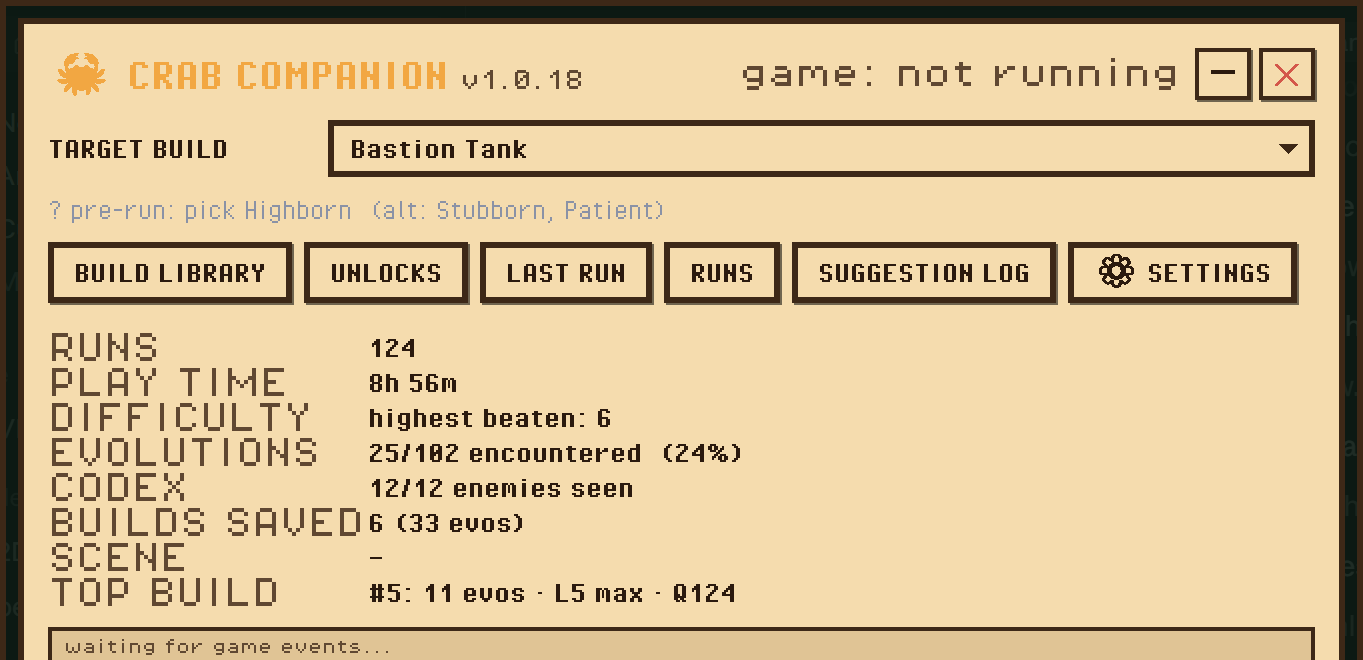
One small panel, then it gets out of the way
Pick the build you're going for and the whole companion aims at it. The rest of the main window is just your career at a glance — runs, play time, codex progress, and shortcuts into the library and dashboards.
During a run the overlays do the talking. Drag them anywhere, press F8 to click straight through them, or F9 to dim them.
Every offer, scored and ranked
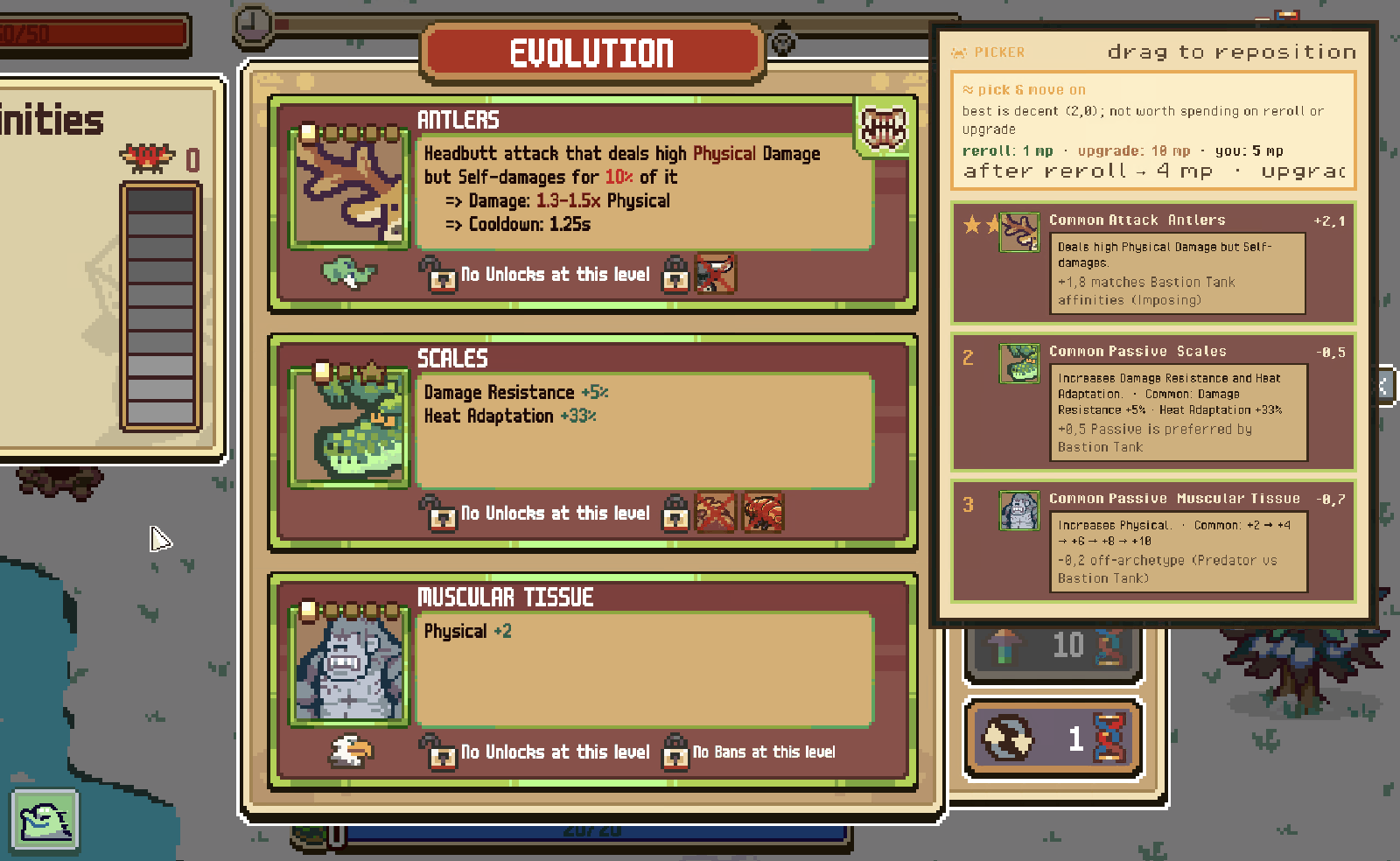
At each level-up the game shows you three evolutions. The companion scores all three against the build you're going for and ranks them — so the choice becomes "take the starred one" rather than "squint and guess".
Crucially it shows why, not just a number. Here Antlers wins at +2,1 because "+1,8 matches Bastion Tank affinities (Imposing)", while Muscular Tissue is marked down for being "off-archetype (Predator vs Bastion Tank)". If you disagree with the ranking, you can see exactly which assumption to argue with.
And priced in mutagen
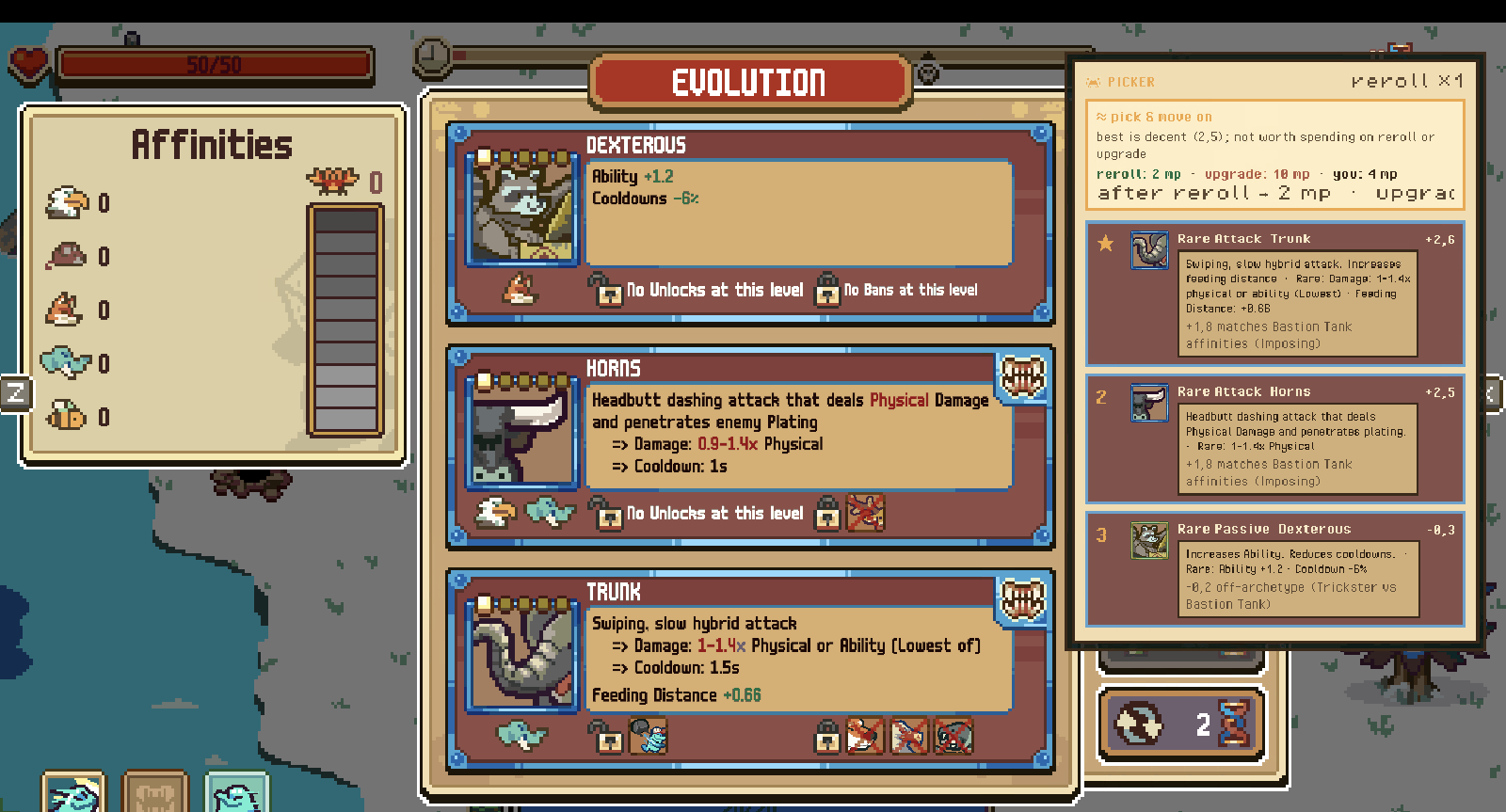
A pick isn't only the three cards in front of you — it's also whether to spend. The overlay tracks your live mutagen and does the arithmetic: what a reroll costs right now, what an upgrade costs, and what you'd have left afterwards.
So it advises the whole move:
- Reroll when the offer is weak and you can afford a fresh one.
- Upgrade when bumping the entire offer's rarity beats taking any card in it.
- Skip when you're running Patient and banking the rarity boost beats settling.
- Just pick — most of the time the honest answer is "this is fine, move on".
The run-start splice, solved
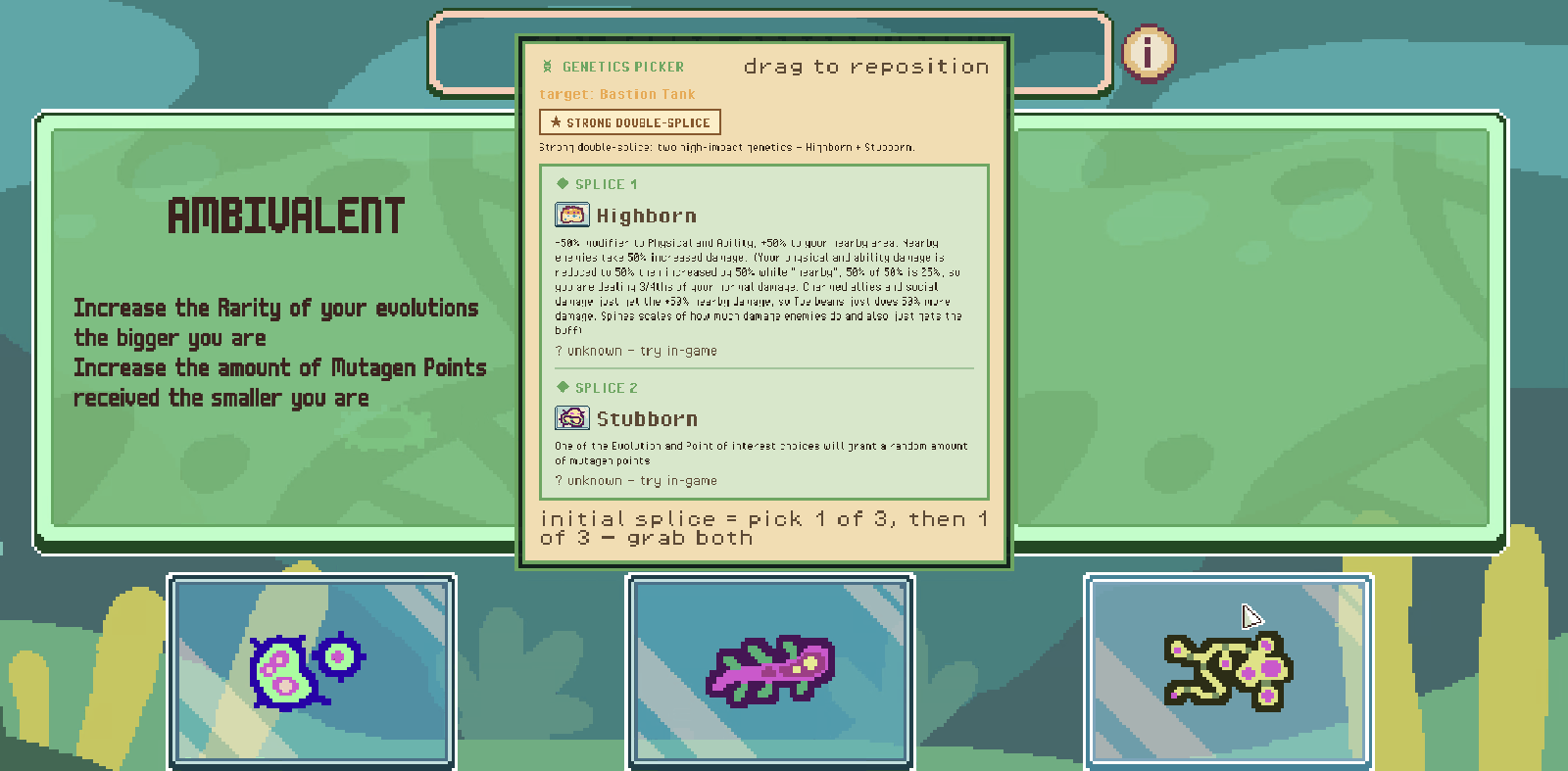
Every run opens with a genetics choice that's easy to misread: you pick one of three, and then one of three again — so two genetics, not one. The companion says so outright and tells you which pair to aim for.
It rates the combination, not the cards in isolation: some pairs are merely fine together, others are a strong double-splice because both are high-impact for your build. Specialisation screens get the same treatment mid-run.
…or skip it, and it follows you
Decline the double-splice and the game hands you a single genetic out of the entire pool instead. The companion sees you press skip and drops to one recommendation — no more advising a second pick that isn't coming.
It also switches what the runner-ups are for. In single-pick mode they become a "not offered? then: …" line, which is the part you actually need: the pool is large and mostly locked, so your best genetic frequently isn't on the table.
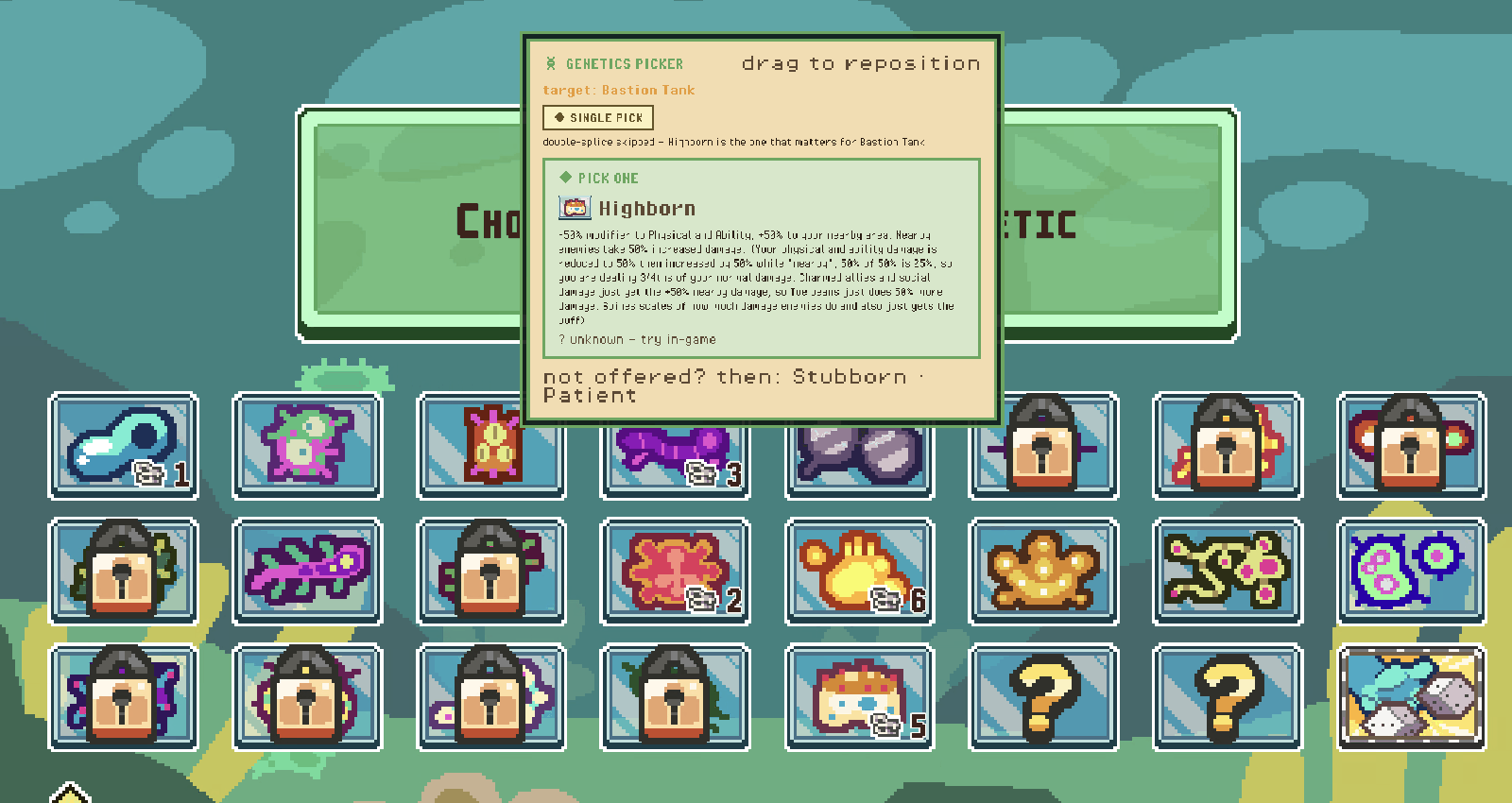
It reads the log, so it always knows where you are
Live mutagen, the run's difficulty and seed, which evolutions you've taken and at what rarity, which biome you're in — all of it comes from lines the game already writes to its own log file. Nothing is guessed from the screen, and nothing is read out of the game's memory.
58 builds, and how close you are to each
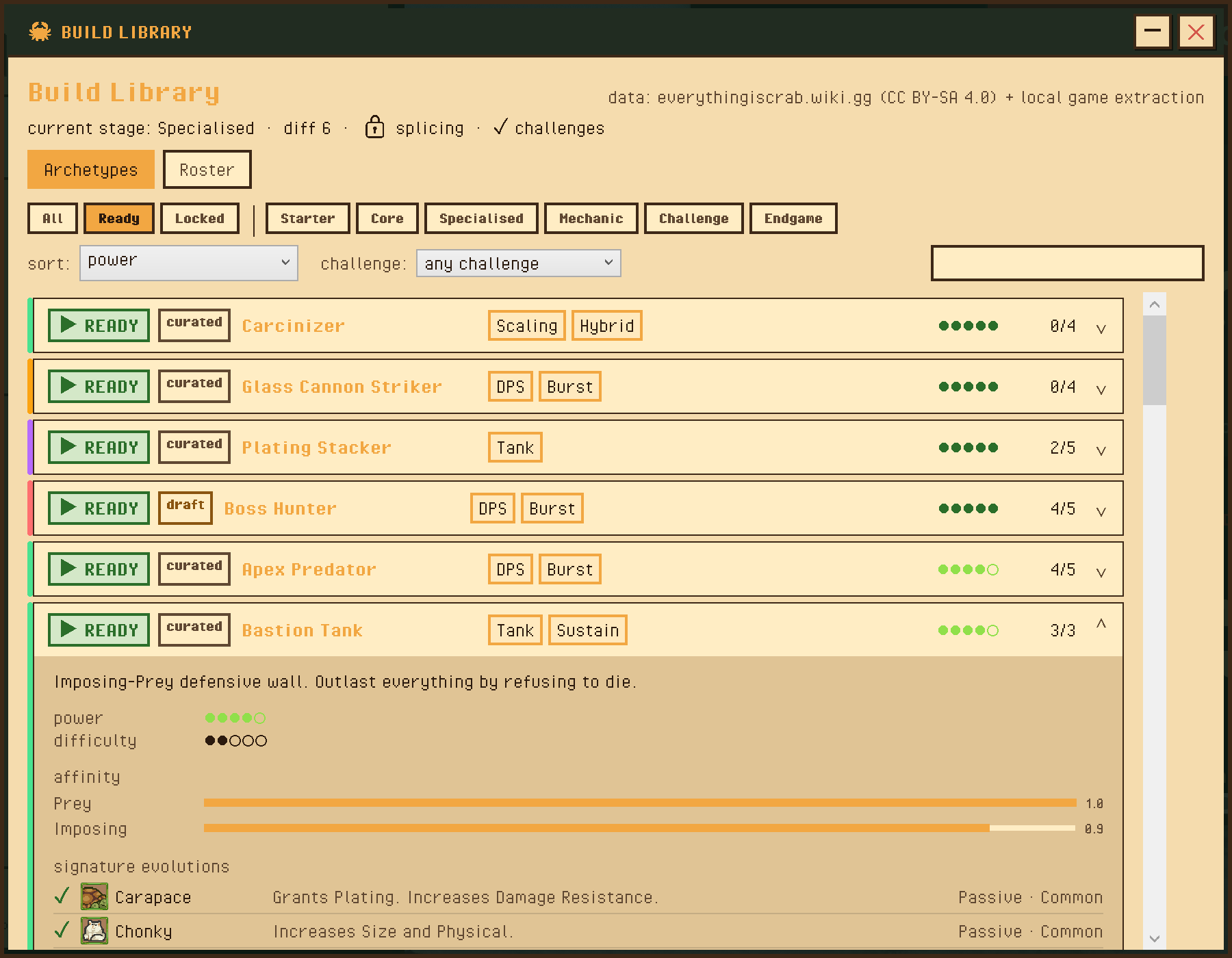
The Build Library is a catalogue of target builds across every stage of the game — from starter shapes to endgame and challenge-specific ones. Pick one and the whole companion aims at it.
Each build opens up into the detail that actually matters:
- Signature evolutions with their real in-game icons, effects and rarities — ticked off as you collect them.
- Affinity weights, so you can see what the build is really made of.
- Which genetic to start with, plus alternates if you haven't unlocked it.
- Power and difficulty ratings, and an early / mid / late game plan.
- Prerequisite warnings — evolutions that need another one first.
You can filter to just what's ready for you right now, sort by raw power or by how forgiving a build is to pilot, and narrow to a specific challenge. There's also a builder for authoring your own.
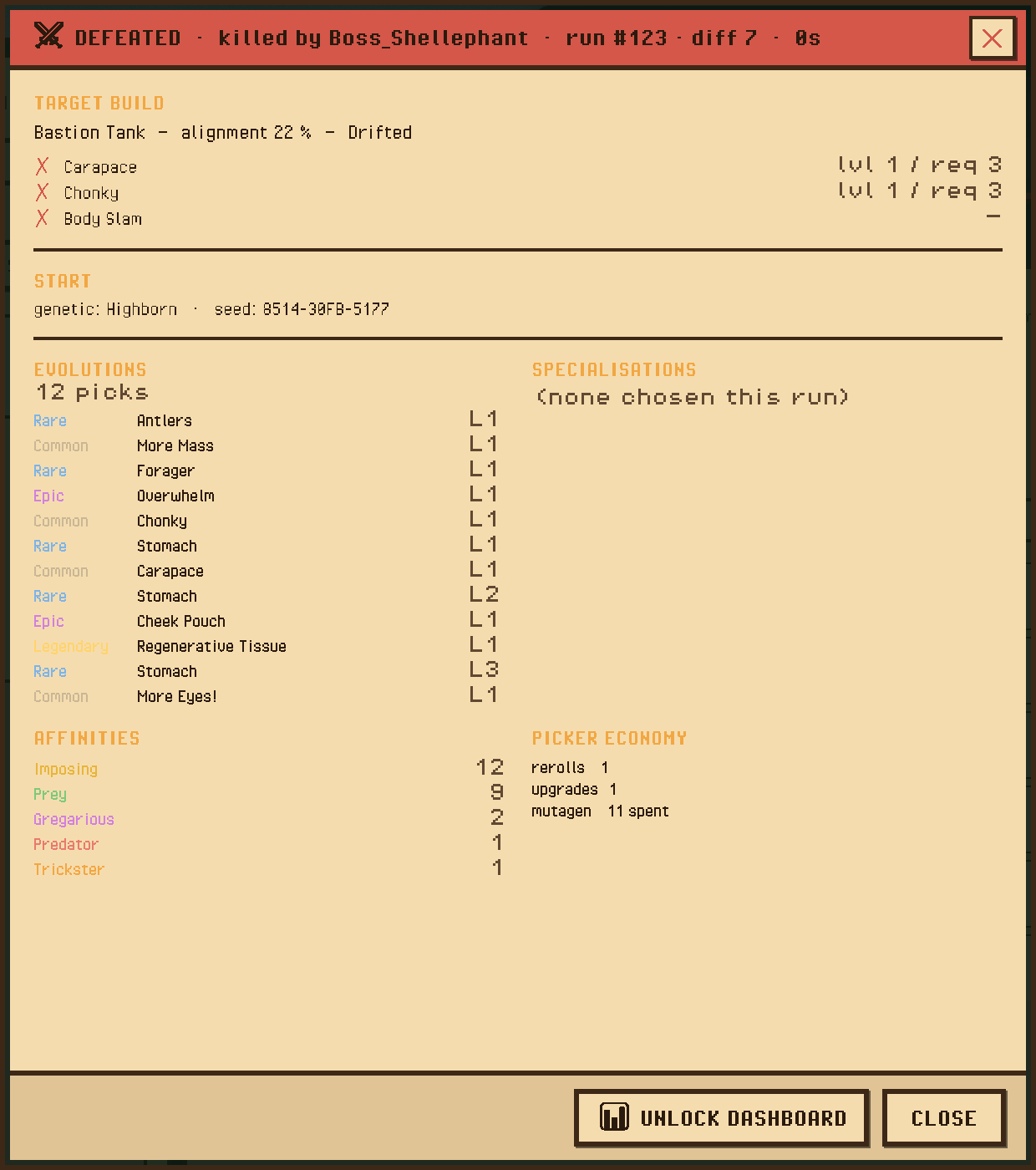
An honest post-mortem
When a run ends, you get the receipt: what killed you, how far you got, and — the useful part — how closely you actually followed the build you picked.
Every evolution you took, in order, with its rarity and level. Your final affinity spread. What you spent on rerolls and upgrades. When a run goes wrong, this is usually where you find out you drifted off-plan around level 4.
The Runs view stacks every past run together so you can see trends rather than single-run noise, and the Suggestion Log records what the advisor recommended versus what you actually picked — so its advice can be checked, not just trusted.
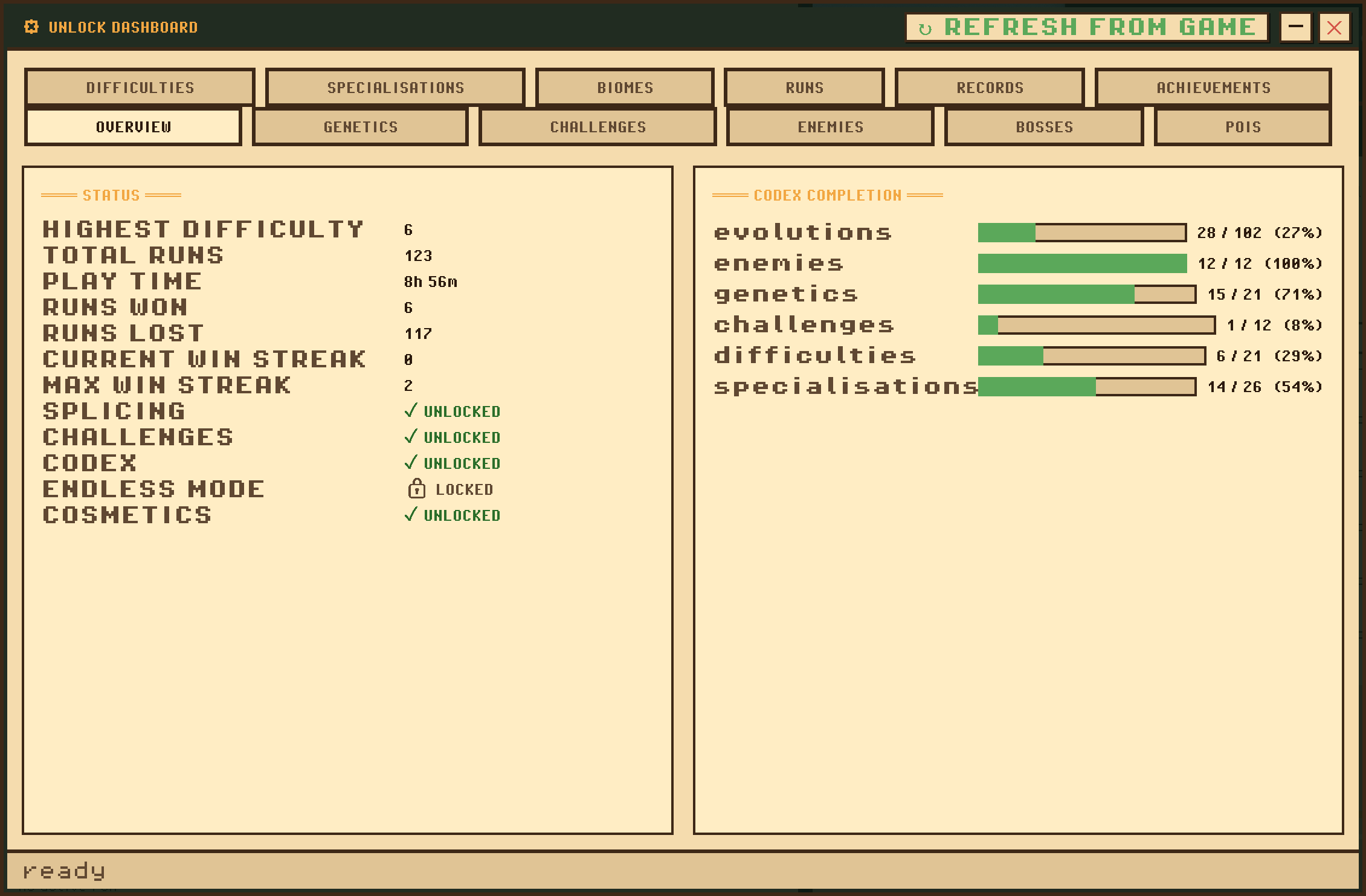
Everything you've unlocked, in one place
The game tracks a lot of progression it never really shows you. The dashboard reads it straight out of your save and lays it out: codex completion, genetics, challenges, difficulties, specialisations, bosses, POIs, biomes, achievements and personal bests.
It's also how you find out what's left — which genetics you still haven't earned, which difficulty is next, which creatures you've never met.
Where a number is decoded from an undocumented save field rather than known for certain, it's marked with a (?) instead of being presented as fact.
Ratings from real runs, not opinions
Each finished run uploads a summary to the tracker site. Every build starts from a calculated seed rating and then drifts toward what it measurably does across everyone's runs — win rate, difficulty reached, how far runs get.
That feeds back into the companion: the live pick scoring is nudged by what actually wins for the build you're playing, bounded so a handful of unlucky runs can't swing it. The more the beta plays, the sharper the advice gets.
You can also just browse it — every run, every build, trait pick-rates and win-rates, and your own profile.
Don't want to share?
Open ⚙ SETTINGS → Upload my runs → OFF. Every feature above still works — the companion is fully functional offline, you just won't feed (or read) the community ratings.
Uploads are anonymous either way: a random id like crab_a1b2c3…, no account, no email. A display name is optional and only exists so you can find your own runs.
It lives in the tray
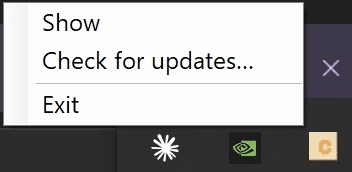
Closing the window doesn't quit the companion — it drops to the system tray so it can keep watching for the game. Left-click the crab icon to bring the window back; right-click for the menu.
Updates install themselves. On launch it quietly checks for a new version and downloads it in the background — it will never interrupt a run to do it. The download is applied the next time the companion closes, so most of the time you simply never think about it.
To do it on the spot, right-click the tray icon:
- Check for updates… — looks now, and also refreshes the build catalogue and community ratings. A notification tells you whether anything was found.
- Restart to finish update — appears once an update is downloaded. Closes the companion, installs it, and reopens on the new version, so you never have to quit and relaunch by hand.
- Exit — fully quits (and applies any pending update on the way out).
What it reads
- It reads the game's Player.log and your own save files. That's the entire list.
- No modding, no injection, no memory reading, no modified game files, and it never touches the game's network traffic.
- It installs to your user folder — no admin rights — and uninstalls from Windows Settings like any other app, leaving your game and saves untouched.
- Evolution and creature data comes from the community wiki (CC BY-SA 4.0), with the devs' blessing to use the game's icons.
Currently in closed beta
The companion is being tested by a small group first. If you've been given a username, sign in to the tracker and grab the installer from Get the App — the beta guide walks through setup, what we'd like feedback on, and how to remove it.
Enter the tracker →